Website, Email Address, and Email Client: The Evolution of a Small Business's IT Needs

When I talk about small business, I often mean a microbusiness: one to nine people, limited time, limited budget, and no formal IT department. The first technology choices may feel small, but they quietly shape how customers see the company.
Social media is a rented apartment
Many microbusinesses begin with a Facebook page, Instagram profile, or LinkedIn page. That makes sense. The tools are free, familiar, and fast. A business can create a public presence without buying a domain, choosing hosting, or hiring a web developer.
The problem is control. Building your whole online presence on social media is like renting an apartment. You can decorate a little, but the owner sets the rules. In this case, the owners are Facebook, Instagram, LinkedIn, and other platforms.
You do not control the layout, the font, the navigation, the visibility rules, or the way your content is presented. You may have a wonderful Facebook page, but the page structure, typography, colors, and publishing environment were chosen by someone else. If you want to change more than the platform allows, the answer is simple: you cannot.
A website is your digital house
Creating your own website is more like owning your house. You have control over the content, the page layout, the message, the structure, and the way your business presents itself to customers.
You do not usually need to own your own servers. Most small businesses rent hosting and infrastructure from vendors such as GoDaddy, Bluehost, Vercel, and many others. Those vendors provide hardware, software, and infrastructure. Your website gives you the place where your company's own identity can live.
If your business does not have a website, customers may judge you before they ever call. I am not talking about political or social discrimination. I mean the quiet business assumption that serious companies have websites. No website can send an unintended message: we are small, informal, and not trying to grow.
Staying small can be beautiful. But if a small business wants to grow, a real website helps prove that ambition.
Your email address says something too
Suppose your business is called Max Tree Services. Your first email address might be maxtreeservices@gmail.com. There is nothing wrong with starting there.
But I often see businesses that already own a domain, such as maxtreeservices.com, while still using a Gmail address for customer communication. That feels like a missed opportunity. If you already have the domain, why not use an address such as max.li@maxtreeservices.com?
The argument for branded business email follows the same logic as the argument for a website. A generic Gmail address can work for now, but a well-managed company should eventually use email on its own domain. In many customers' minds, a business that still uses a generic address may look temporary or overly cheap.
Separate email by purpose
Email clients such as Thunderbird do not affect your corporate image directly. Your customers and suppliers usually will not know whether you read your messages through Gmail, Apple Mail, Outlook, Thunderbird, or a web browser.
The real value is organization. I think most people should have at least three email addresses:
- A business email address, such as
max.li@maxtreeservices.com. - A personal email address for family, friends, and important personal matters.
- A separate email address for newsletters and online services.
The third address is the secret weapon. If newsletters, promotions, account alerts, and online subscriptions mix with truly personal messages, cleanup becomes slow. You have to separate the important from the disposable one message at a time.
With a dedicated newsletter and online-services inbox, deletion becomes simple. Select all. Delete. Done. I love that feeling.
When one inbox becomes eight
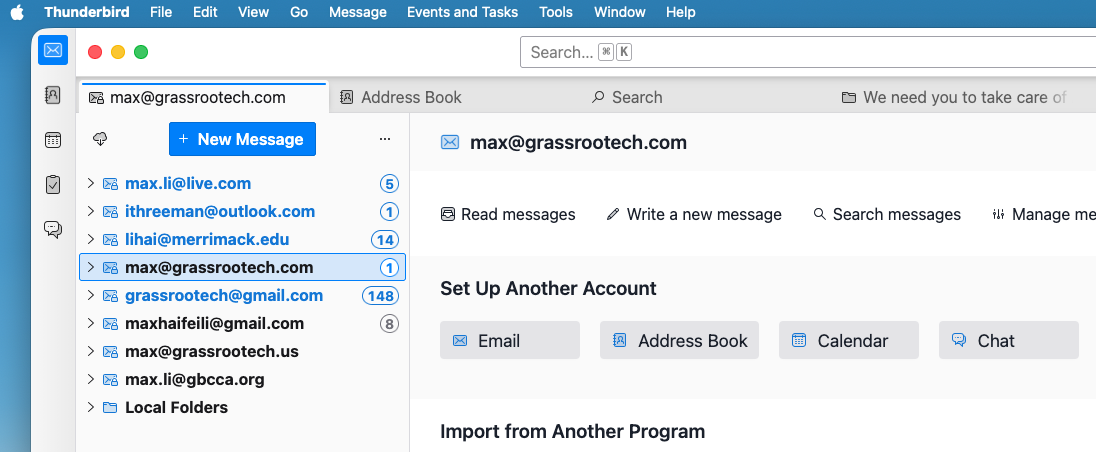
If you have part-time roles, volunteer work, side projects, or multiple organizations in your life, the number of inboxes can grow quickly. In my case, I have used as many as eight email addresses. One customer told me she had six.
Without an email client, checking all of them becomes tedious. One account may live at Gmail. Another may live at PrivateEmail. Another may belong to Outlook. Another may be connected to an organization's system. You end up visiting multiple websites just to see what needs your attention.
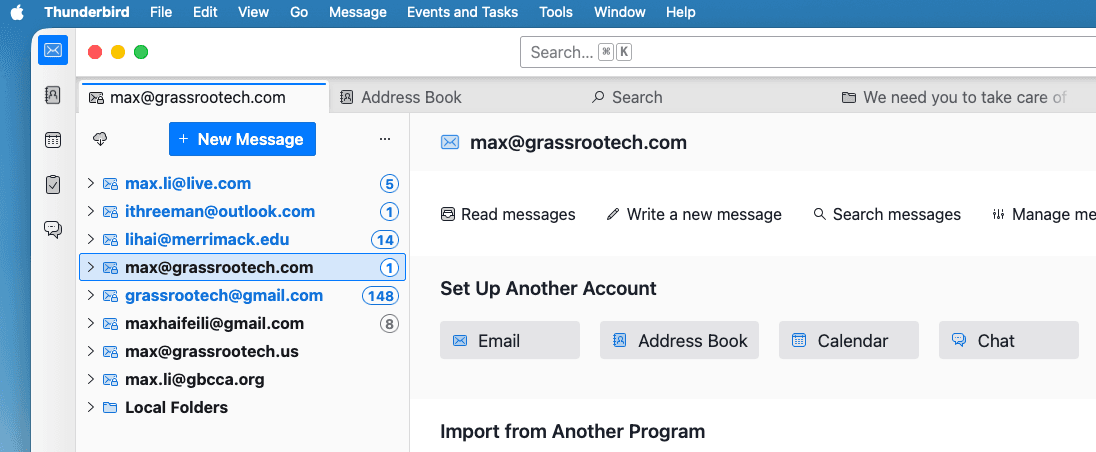
An email client brings those accounts together. Multiple email addresses can coexist in one place, each with its own purpose. The screenshot below shows that kind of setup: one account can be reserved for lower-priority newsletters and website signups, while business and personal email remain easier to protect.
The natural progression
For a microbusiness, the IT path does not need to be complicated. Start wherever you are. A social media page is better than being invisible. A generic email address is better than no way to contact you.
But as the business grows, the next steps matter: own your website, use a branded business email address, and organize your communication with an email client. These are not glamorous changes, but they help a small business look more serious, work more efficiently, and prepare for growth.

Max Li
Founder, Grassrootech
max@grassrootech.comMax is dedicated to bridging the gap between advanced research and practical industry application. Drawing on his experience at IBM Research and Union University, he leads the development of AI solutions that drive meaningful progress.
Read More

What Should You Do If You Have Used Up Your Quota for OpenAI Codex?
OpenAI Codex is excellent, but quota limits are real. Here is a practical fallback strategy for developers who want to keep building without jumping immediately to a more expensive plan.

Have you heard of OPC: One Person Company?
AI is making a new kind of company imaginable: one person coordinating agents, software, and distribution with the leverage of a much larger team.